AI Chatbot Widget — Web Chat for Your Website
Add an AI chatbot to your website with one line of code. Visitors chat, book appointments, and get answers 24/7. Website with booking system built into the conversation.
- One line of code — live in under 5 minutes
- AI answers visitors 24/7 in 70+ languages
- Built-in booking system right in the chat
- Works with WordPress, Webflow, Squarespace, Shopify, and Wix
It's 21:40. The visitorbooks without calling.
A chat bubble sits in the corner of your site. The visitor asks, picks a time, and gets a confirmation — without waiting for opening hours.
- One snippet, live in minutes
- Booking and tickets handled in the chat
- Answers in 70+ languages, automatically
7-day free trial · Cancel anytime

Booked in the chat
Tomorrow 10:00 AM
9:41 PM · no call needed
Inside Skaala
You configure it once, here
The Chattwidget page is where you set up the assistant, the booking flow, and the ticket form. The live preview shows exactly what visitors will see before you publish.
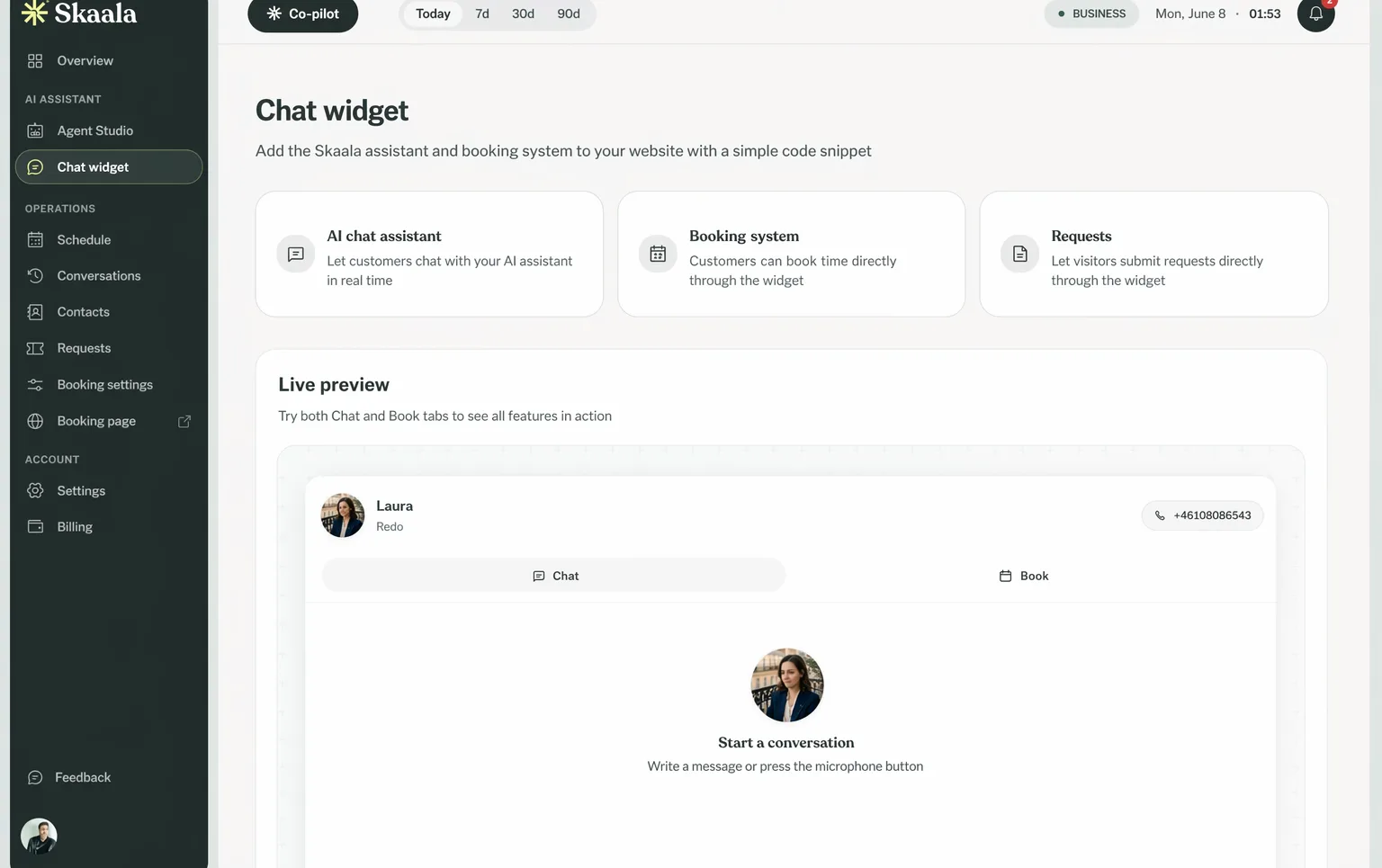
Three things the widget does for visitors
Chat assistant
Visitors ask about prices, hours, or services and get a real answer right away, drawn from what you set up.
Booking
The booking tab is connected to your calendar and services. Visitors pick a time and get a confirmation in the chat.
Support tickets
When something needs a follow-up, visitors open a ticket from the widget and it lands in your inbox.
From paste to live
No developer required. Copy the snippet, paste it once, publish.
- 1
Copy
Copy your snippet
One line of code, generated for your account.
- 2
Paste
Paste it on your site
WordPress, Webflow, Squarespace, Shopify, Wix, or plain HTML.
- 3
Live
The widget goes live
Visitors can chat, book, and open tickets right away.
Same assistant as your phone line
The widget shares the knowledge and booking setup of the AI agent that answers your local number. A visitor who chats and a caller who phones get the same answers, and every booking lands in the same calendar.
- Detects the visitor's language and replies in it
- Matches your colors and welcome message
- Works on the platforms you already use
Web widget questions
No. You copy one snippet from Skaala and paste it into your site once. It works on WordPress, Webflow, Squarespace, Shopify, Wix, and plain HTML.